


Emerson MTL 8750-CA-NS PAC8000 Controller Carrier
A panel-mounted PAC8000 carrier for two controllers or EBIMs, optional power-supply monitoring and controller serial connections.
Key Information
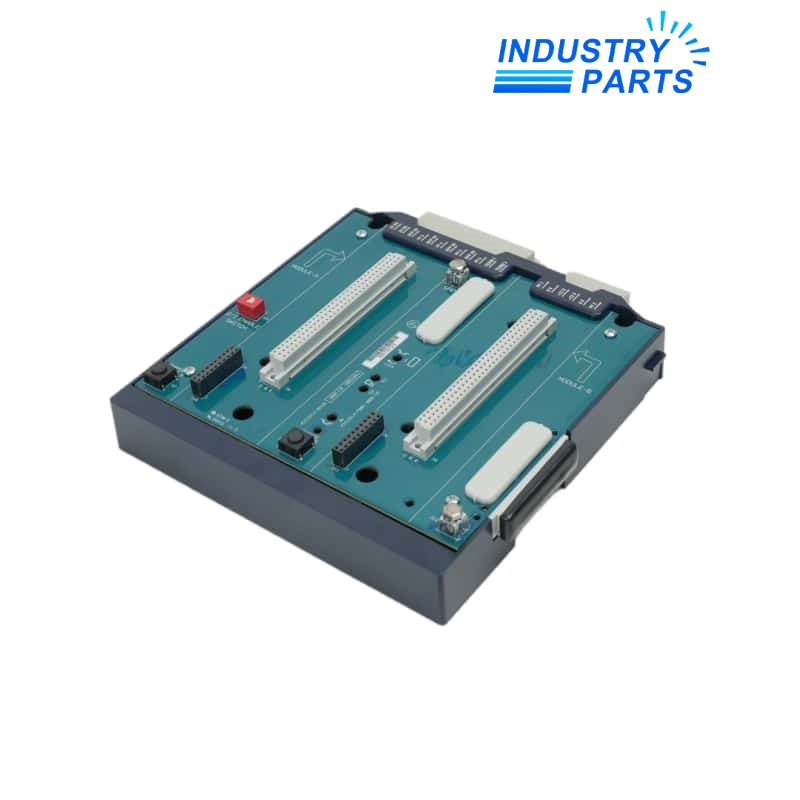
8750-CA-NS is the PAC8000 controller carrier that provides the mechanical and electrical mounting platform for up to two 8521-series controllers or EBIMs. The arrangement supports simplex or redundant controller architecture.
The carrier can also accept an 8410-NS-PS Power Supply Monitor. Rear power-fail inputs allow that monitor to supervise as many as seven node power supplies, while each controller or EBIM position has a carrier serial connection and a manual change-state button.
Functions
- Mounts up to two PAC8000 controllers or EBIMs.
- Supports simplex or redundant controller arrangements.
- Accepts the optional 8410-NS-PS Power Supply Monitor module.
- Routes as many as seven power-fail inputs to the monitor position.
- Provides controller serial connections and manual change-state controls.
Specifications
| Manufacturer | Emerson / MTL |
|---|---|
| Model | 8750-CA-NS |
| Product Family | PAC8000 |
| Product Type | Controller carrier |
| Controller / EBIM Positions | Up to two |
| Supported Controller / EBIM Family | 8521-series hardware |
| Architecture | Simplex or redundant |
| Optional Monitor | 8410-NS-PS Power Supply Monitor |
| Power-Fail Inputs | Up to seven |
| Controller Serial Connections | One carrier connection for each controller / EBIM position |
| Manual Controls | Change-state button for each controller / EBIM position |
| Mounting | Panel mounting |
| Operating Temperature | -40 to +70 °C |
| Storage Temperature | -40 to +85 °C |
| Approval Context | Install only under the documented PAC8000 system and hazardous-area conditions |
| Identity Control | Retain the complete 8750-CA-NS catalog number and installed module set |
Installation
- Record the complete 8750-CA-NS label, both controller/EBIM positions, serial wiring, power-fail terminals and monitor position.
- Place the PAC8000 node in the approved maintenance state before operating change-state controls or removing hardware.
- Verify carrier mounting, protective earth, cabinet environment and rear terminal condition.
- Reconnect each power-fail circuit to its documented supply and preserve the controller position assignment.
- Prove controller communication, redundancy state, manual change-state function and all monitored power-fail alarms.
Lifecycle
- Keep carrier, controller/EBIM, monitor and node power-supply identities in one maintenance record.
- Exercise the approved redundancy procedure periodically without introducing an uncontrolled single point of failure.
- Inspect rear terminals, connectors, change-state buttons and panel mounting during outages.
- Treat an 8751 or other carrier as a separate compatibility decision rather than a visual substitute.
FAQ
What must be listed in an 8750-CA-NS quotation?
Provide both installed controller or EBIM models, redundancy role, optional 8410-NS-PS monitor, seven power-fail circuit assignments, serial connections and carrier label photographs.
Can 8750-CA-NS be supplied without the controllers and monitor?
Yes when the scope is carrier-only, but the quotation must state clearly which controllers, EBIMs, monitor and terminal accessories are included or reused.
How should redundancy be protected during an 8750-CA-NS exchange?
Document active and standby roles, verify the healthy controller and communications, follow the approved change-state procedure and maintain a tested rollback plan.
What causes a false power-fail indication after replacing 8750-CA-NS?
Check rear terminal assignment, continuity, polarity, monitored-supply identity, optional monitor seating and the alarm mapping before replacing another component.
What receiving checks matter most for 8750-CA-NS?
Confirm the complete label, connector and button condition, controller positions, monitor position, rear terminal integrity, mounting hardware and absence of unauthorized repair.