


Siemens 6AV2123-2MB03-0AX0 SIMATIC HMI KTP1200 Basic Panel
01Product Overview
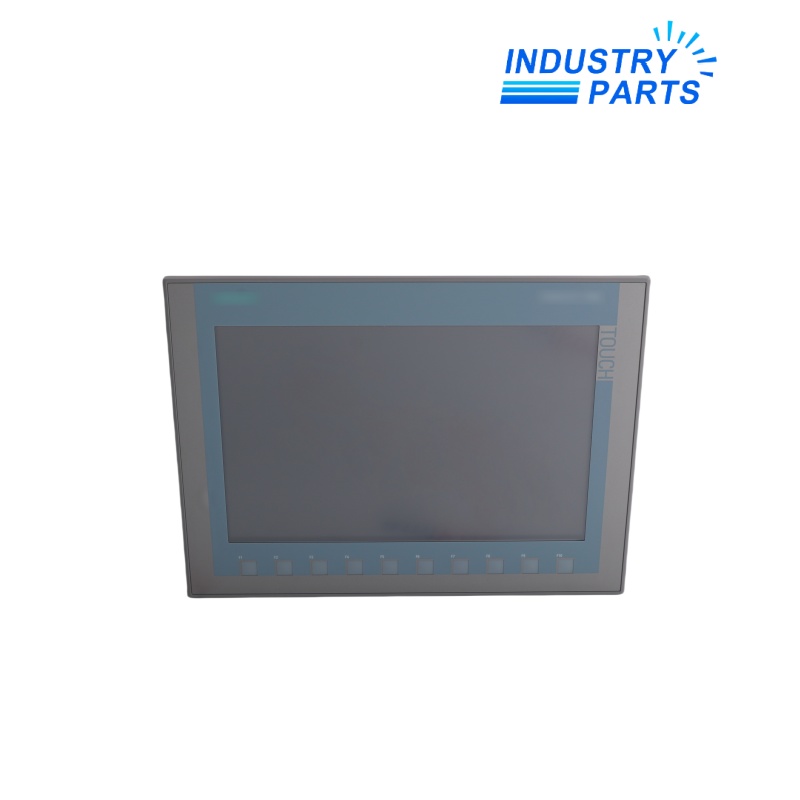
Siemens 6AV2123-2MB03-0AX0 is the SIMATIC HMI KTP1200 Basic, a second-generation Basic Panel for machine-level visualization. It combines a 12-inch TFT display, 65,536 colors, touch and key operation, and PROFINET communication in a widescreen operator interface configured with WinCC Basic V13 or later supported engineering software.
02Functions
Core Functions
- Displays process values, machine states, graphics, trends, alarms, and diagnostic information within the configured Basic Panel functions.
- Provides touch interaction and configurable keys for navigation, manual commands, setpoint entry, and operator acknowledgement.
- Communicates with approved automation systems through the PROFINET interface.
- Supports project functions such as recipes, user administration, language switching, alarm logging, and process-value archiving within device limits.
- Allows USB service or peripheral workflows supported by the panel and project.
- Uses a widescreen 1280 x 800 display to present larger process graphics and operating screens.
Product Identity
- Manufacturer: Siemens
- Model: 6AV2123-2MB03-0AX0
- Product Type: SIMATIC HMI KTP1200 Basic Panel
- Lifecycle: Active Product
03Specifications
| Manufacturer | Siemens |
|---|---|
| Article Number | 6AV2123-2MB03-0AX0 |
| Product Name | SIMATIC HMI KTP1200 Basic |
| Panel Family | Basic Panels, 2nd Generation |
| Operation | Key and touch |
| Display | 12-inch TFT widescreen |
| Resolution | 1280 x 800 pixels |
| Colors | 65,536 |
| Communication | PROFINET |
| Engineering Baseline | WinCC Basic V13 / STEP 7 Basic V13 or later |
| User Data Memory | 10 MB |
| Rated Supply | 24 V DC |
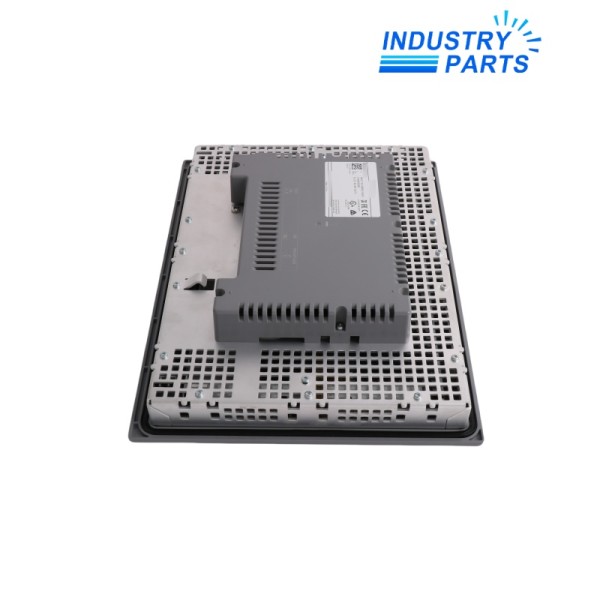
| Front Dimensions | 330 x 245 mm |
| Mounting Depth | 60 mm |
| Front Protection | IP65 when installed as specified |
| Lifecycle Status | Active Product |
04Compatibility
- Use an engineering release that explicitly supports KTP1200 Basic article 6AV2123-2MB03-0AX0.
- Match the PROFINET version; a KTP1200 Basic DP article has a different communication interface.
- Preserve the complete WinCC project, passwords, recipes, users, alarm archives, languages, controller connections, tags, and network settings.
- Confirm the 24 V DC supply, mounting cutout, panel depth, front seal, enclosure rating, connector routing, grounding, and USB access.
- Validate controller and firmware compatibility, supported protocols, tag and archive limits, and network security settings.
- A move to Unified or Comfort technology requires project, feature, security, and mechanical assessment.
05Applications
Typical Uses
- Operator control and monitoring for medium-size machines and compact production cells.
- Packaging, material handling, conveying, process skid, utility, and assembly applications.
- PROFINET-connected SIMATIC controller projects needing a larger widescreen visualization area.
- Machines requiring dedicated keys together with touchscreen operation.
- Maintenance replacement of an installed KTP1200 Basic PN panel with retained project and mounting design.
Selection Boundary
- Use application examples only as engineering context; they do not prove compatibility with an installed machine.
- Confirm electrical, mechanical, network, software, safety, environmental, and lifecycle requirements against the complete project.
- Preserve configuration records and perform controlled commissioning whenever hardware is exchanged.
06Lifecycle
- This article is listed by Siemens as an Active Product, but the project and firmware should still be maintained as controlled service assets.
- Back up the HMI project, passwords, recipes, users, logs, languages, and network settings before replacement.
- Record article number, firmware, engineering version, IP address, device name, controller links, transfer method, USB devices, and mounting details.
- After exchange, verify project transfer, display, touch, keys, tags, commands, alarms, recipes, users, languages, archiving, and PROFINET communication.
- Test every operator command, permissive, alarm acknowledgement, and safety-related workflow under controlled conditions.
- Do not treat a different HMI family or screen size as a direct replacement without project conversion and mechanical validation.
FAQFrequently Asked Questions
What is 6AV2123-2MB03-0AX0?
6AV2123-2MB03-0AX0 is an active 12-inch SIMATIC HMI KTP1200 Basic panel with key/touch operation and PROFINET.
Where is this product normally used?
It is used for machine visualization, commands, alarms, recipes, user functions, and diagnostics where a larger widescreen panel is required.
What must be checked before ordering?
Confirm the complete article number, installed hardware revision, lifecycle state, supply and I/O design, communication interfaces, connector assignment, software release, approvals, and project configuration.
What information should be saved before replacement?
Save the HMI project, firmware, engineering version, passwords, recipes, users, archives, languages, IP and device name, controller connections, and mounting data.
Can a similar Siemens article be used as a direct replacement?
No. A DP, Unified, Comfort, or different-size panel can change communication, project functions, software, cutout, depth, and security behavior.
What should be verified after installation?
Verify project transfer, touch and keys, every screen and tag, commands, alarms, recipes, users, archives, PROFINET communication, and machine interlocks.
+Recommended Models
| GM33-1115-0N | GE 517-0147-06B-318727 | 4G-M 460021 |
| 13985-301 | HS-6A F.01U.118.902 | 3RV1021-1JA15 |
| KV-700 | DG10 60947-5-6 | D5014S |
| MCP250M | 342911 | GE SAUXPAB2 |
| ABB 30.640.1 | 802371 IQ8QUAD | 7PA3030-1 |
| BSE128 | AAR145-S00 | 2400381-001 |
| 1756-N2 | 51153884-201 | UD2A-EDID-S |
| FUJI FA-2016E1 | HMIX7PR | 852-063-003 |
| HR3D28NUTC3BB | LS1130 | 9066630T |
| GE BPC 240/100 606141 | ECY-8UI | BMXXBP1200 |