

Siemens 6AV7241-1BA00-0DA0 SIMATIC IPC477E Panel PC
01Product Overview
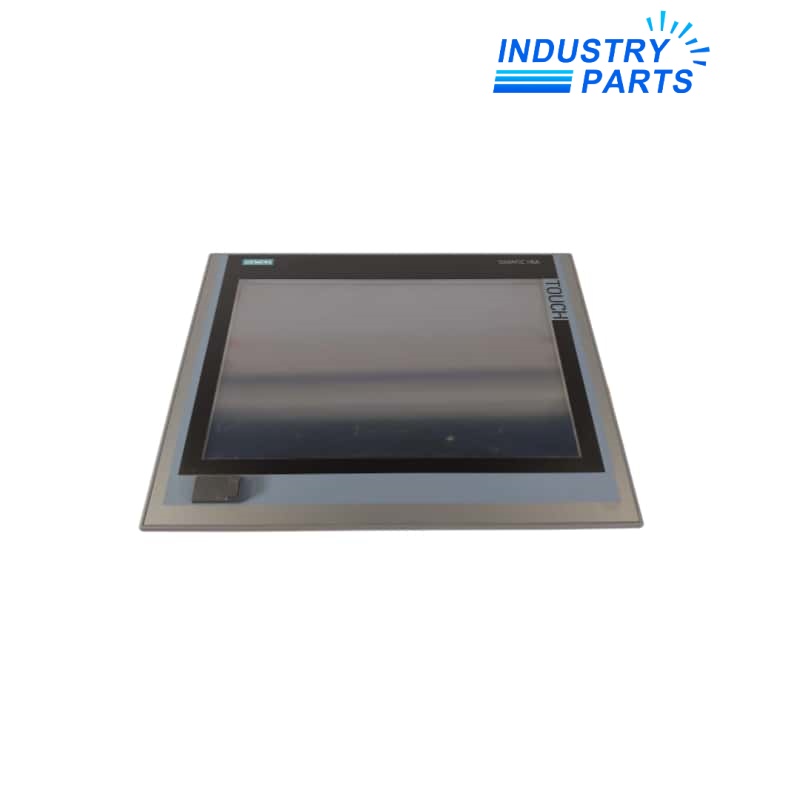
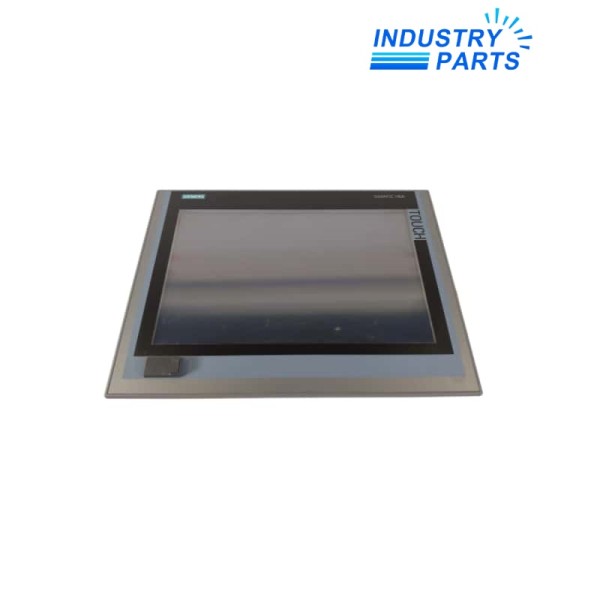
Siemens 6AV7241-1BA00-0DA0 is a configured SIMATIC IPC477E panel PC with a 15-inch single-touch display, Intel Celeron G3902E processor, 4 GB RAM, and a 256 GB Eco solid-state drive. This article is supplied without an operating system or SIMATIC software and uses a 24 V DC industrial power supply.
02Functions
Core Functions
- Combines an industrial PC and 15-inch single-touch operator interface in one panel-mounted device.
- Runs customer-selected software and operating-system images compatible with the configured IPC hardware and licenses.
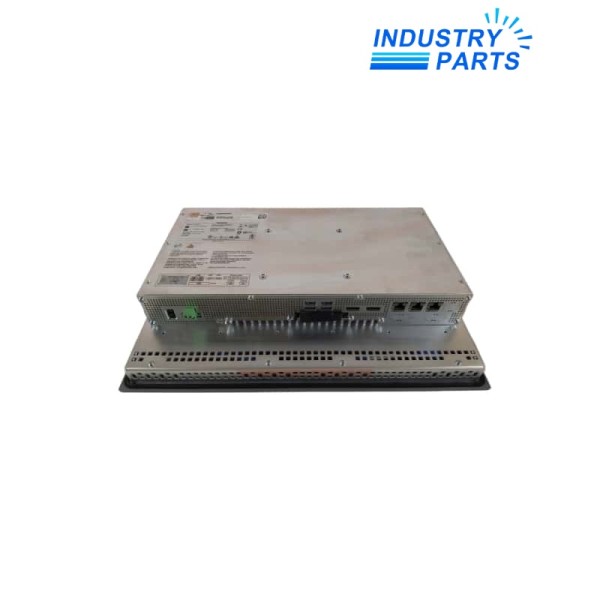
- Provides three Gigabit Industrial Ethernet/PROFINET-capable interfaces for machine, cell, or segmented network connections.
- Uses a 256 GB Eco SSD for the installed operating system, applications, project files, logs, and service data.
- Provides front USB service access and four rear USB interfaces for approved peripherals.
- Accepts 24 V DC industrial supply for cabinet integration.
Product Identity
- Manufacturer: Siemens
- Model: 6AV7241-1BA00-0DA0
- Product Type: SIMATIC IPC477E 15-inch Panel PC
- Lifecycle: Phase Out Announce
03Specifications
| Manufacturer | Siemens |
|---|---|
| Article Number | 6AV7241-1BA00-0DA0 |
| Product Name | SIMATIC IPC477E |
| Display | 15-inch single touch |
| Resolution | 1280 x 800 pixels |
| Front USB | Included |
| Rear USB | 4 |
| Processor | Intel Celeron G3902E |
| RAM | 4 GB |
| Mass Storage | 256 GB Eco SSD |
| Replaceable Mass Storage | No |
| Network Interfaces | 3 x Gigabit Ethernet for IE/PN |
| Additional Ethernet | 10/100/1000 interface included in the configured description |
| Serial Interfaces | No RS232/RS485 |
| PCIe Expansion | None |
| Operating System | None supplied |
| SIMATIC Software | None supplied |
| Power Supply | 24 V DC industrial power supply |
| Lifecycle Status | Phase Out Announce |
04Compatibility
- This configured article is supplied without an operating system or SIMATIC software; the validated customer image and licenses must be provided separately.
- Match the 15-inch 1280 x 800 front, mounting cutout, depth, connector access, cabinet cooling, and environmental design.
- Preserve network adapter assignments, MAC-based licenses, IP addresses, PROFINET settings, firewall policy, user accounts, certificates, and remote-service configuration.
- Confirm that the application supports the Celeron G3902E, 4 GB RAM, available graphics, and the selected operating system.
- Do not assume serial or PCIe devices can be retained because this configuration has no RS232/RS485 and no PCIe expansion.
- The SSD is not identified as replaceable mass storage in the order record; service planning must follow the IPC documentation.
05Applications
Typical Uses
- Panel-mounted machine control and visualization using customer-installed software.
- Data collection, diagnostics, recipe handling, local dashboards, and industrial communication at machine level.
- Networked operator stations requiring multiple Gigabit Ethernet interfaces.
- Retrofit or maintenance of an installed IPC477E with the same display and computing configuration.
- Lifecycle migration to a current SIMATIC IPC after validating software, image, licenses, I/O, networking, and mechanical fit.
Selection Boundary
- Use application examples only as engineering context; they do not prove compatibility with an installed machine.
- Confirm electrical, mechanical, network, software, safety, environmental, and lifecycle requirements against the complete project.
- Preserve configuration records and perform controlled commissioning whenever hardware is exchanged.
06Lifecycle
- The current lifecycle is Phase Out Announce, so image recovery and migration planning should begin before service availability changes further.
- Create verified disk-image, application, configuration, license, certificate, driver, and cybersecurity backups.
- Record BIOS settings, operating system build, updates, user accounts, services, network interface assignments, IP data, connected USB devices, and touch calibration.
- After replacement, restore only the approved image and verify boot, storage, display, touch, USB, all Ethernet ports, PROFINET functions, applications, licenses, time, and remote access.
- Validate application behavior, machine commands, alarms, logs, communications, and security controls under the site change procedure.
- A newer IPC requires both mechanical and software qualification; processor generation alone does not establish compatibility.
FAQFrequently Asked Questions
What is 6AV7241-1BA00-0DA0?
6AV7241-1BA00-0DA0 is a phase-out SIMATIC IPC477E panel PC configured with a 15-inch single-touch display, Celeron G3902E, 4 GB RAM, and 256 GB Eco SSD.
Where is this product normally used?
It is used for panel-mounted industrial computing, machine visualization, data handling, and networked operator applications.
What must be checked before ordering?
Confirm the complete article number, installed hardware revision, lifecycle state, supply and I/O design, communication interfaces, connector assignment, software release, approvals, and project configuration.
What information should be saved before replacement?
Save the full disk image, applications, licenses, certificates, drivers, BIOS, OS build, accounts, network assignments, IP settings, touch data, and peripheral list.
Can a similar Siemens article be used as a direct replacement?
No. Another IPC can change display cutout, storage serviceability, processor, drivers, ports, operating-system support, licensing, and thermal behavior.
What should be verified after installation?
Verify boot and image integrity, display and touch, SSD, USB, every Ethernet port, PROFINET, applications, licenses, users, time, cybersecurity controls, and machine functions.
+Recommended Models
| PCOX000AA0 | ST-CE1075-2-U100-B | 80PK-27 |
| KX-T96170 | 1607AB0081-XF822A | SI01-0697,WP1000 |
| 19A3716X022 | SB-4Z-UN | 3180021-04 GP2501-SC11 |
| RH 53A | HSTN-RP01 L49029-003 | SND-L5083RP |
| S3-SN-R | 1762-IF4 | SIO4022 |
| 13w28 004 | SO816N.A001 | LCD5511 PC1616,PC1832 PC1864 |
| 371-04491-000 | T7412B1008 | 48502100 |
| ABB 3BSE020508R1 DI801 | Z954 071863 | CN35BN3AB |
| SR-0 PN:8041299 | HT22 | DVC6200 GE54203X072G |
| GRX-TVM-ISO2 GRX-TVM2 | URA 140011 | DPS500 |


