

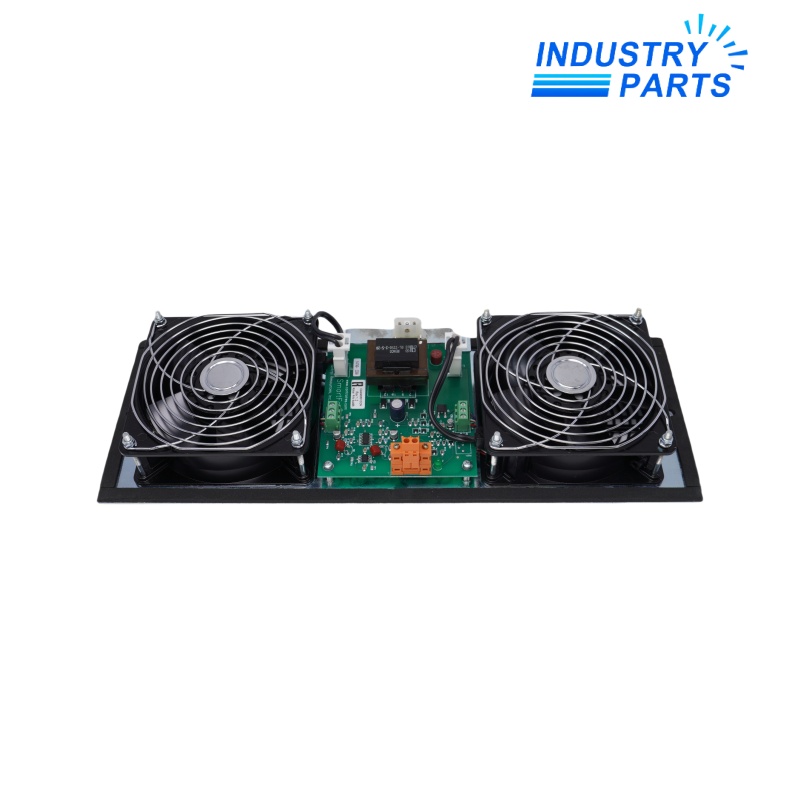
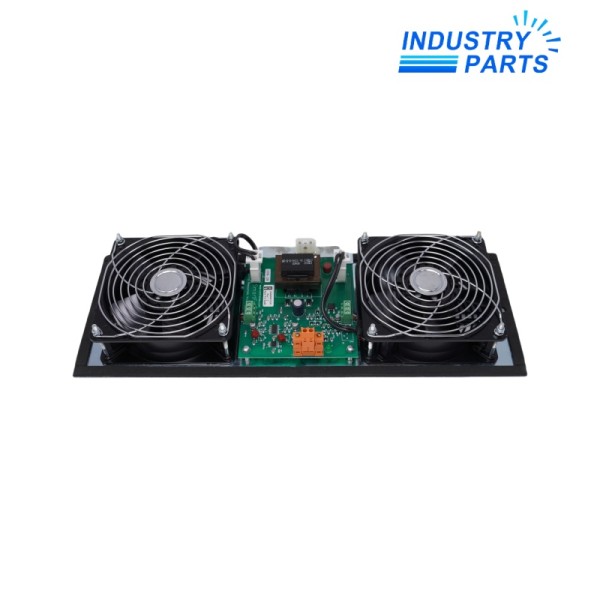


Honeywell 51303940-250 Cabinet Fan with Alarm
Warranty: 1 year
Condition : brand new in factory sealed box
Email: sales@mvme.cn
Chat online: +86 18030175807
Detail
- Product NameHoneywell 51303940-250 Cabinet Fan with Alarm
- Item NO.3314565
- Weight0.0000 kg = 0.0000 lb = 0.0000 oz
- CategoryDCS
- BrandHoneywell
- Creation Time2025-08-12
- Honeywell 51303940-250 cabinet fan with alarm for an installed control cabinet. Verify the cabinet design, nameplate rating, airflow direction and alarm wiring before replacement.
Honeywell 51303940-250 Cabinet Fan with Alarm
Honeywell 51303940-250 cabinet fan with alarm for an installed control cabinet. Verify the cabinet design, nameplate rating, airflow direction and alarm wiring before replacement.
Product Overview
Honeywell 51303940-250 is identified on the existing product record as a cabinet fan with alarm. Its role is to support the thermal-management arrangement of an installed control cabinet and provide an alarm interface associated with fan or airflow condition.
Cabinet cooling is part of overall control-system reliability. Honeywell maintenance guidance emphasizes that the fan must remain operational, filters must be clean and unobstructed, covers must be secure and cabinet penetrations must remain sealed.
The complete electrical rating and alarm-contact behavior must be taken from the fan assembly nameplate and the cabinet wiring documentation. This prevents a visually similar fan assembly from being installed with an incorrect power or alarm interface.
Performance
- Supports forced-air movement through the cabinet ventilation path.
- Works with the cabinet filter and sealing design to reduce heat and contaminant accumulation.
- Provides an alarm-related interface that must be matched to the installed monitoring circuit.
- Helps maintain the operating environment required by cabinet-mounted controllers, power supplies and I/O hardware.
- Supports preventive maintenance through inspection of fan operation, filters, airflow and enclosure condition.
- Must be evaluated as part of the complete cabinet thermal design rather than as a stand-alone fan.
Technical Details
| Model / part number | 51303940-250 |
| Manufacturer | Honeywell |
| Product identification | Cabinet fan with alarm |
| Primary role | Control-cabinet ventilation and alarm interfacing |
| Installation context | Installed Honeywell control cabinet |
| Maintenance dependencies | Fan operation, clean filter, unobstructed airflow, secure covers and sealed cabinet penetrations |
| Environmental management | Control dust, condensation, humidity and corrosive contamination within the cabinet |
| Alarm integration | Verify the installed alarm circuit and contact arrangement from the cabinet drawing |
| Electrical verification | Confirm voltage, frequency, current and protective-device requirements from the nameplate |
| Replacement verification | Match assembly dimensions, mounting, airflow direction, connector arrangement and cabinet certification |
System Integration
The fan assembly must fit the existing cabinet opening, airflow path and mounting pattern. Confirm that the inlet and outlet remain unobstructed and that the filter, protective cover and seals are correctly restored after service.
Electrical integration includes the fan power feed, protective device, grounding and alarm circuit. Compare every conductor with the cabinet drawing and verify the nameplate before energizing the replacement.
After installation, confirm correct airflow direction, fan operation, alarm-state behavior and the absence of abnormal vibration or contact between wiring and moving components.
Applications
- Thermal management for installed Honeywell control-system cabinets.
- Ventilation support for cabinets containing controllers, I/O and power equipment.
- Replacement maintenance where an alarmed fan assembly is specified by the cabinet design.
- Brownfield system service that must preserve the original airflow and alarm arrangement.
- Preventive maintenance programs addressing dust, blocked filters and degraded cooling.
- Cabinet reliability work in conditioned industrial control rooms.
Installation & Service
De-energize the applicable cabinet circuit under the plant electrical-safety procedure. Record the existing wiring, airflow orientation, mounting details and alarm connections before removing the assembly.
Clean the ventilation path using methods suitable for electronic cabinets. Honeywell recommends keeping fan filters clean and unobstructed, checking that covers are secure and maintaining sealed cabinet penetrations.
After replacement, test both fan operation and the associated alarm indication. Confirm that cables are secured away from moving parts, that the filter is fitted correctly and that the cabinet returns to its intended sealed condition.
Lifecycle Planning
Fan condition is influenced by operating hours, temperature, dust loading, filter restriction and bearing wear. Include airflow and alarm checks in preventive maintenance instead of waiting for cabinet-temperature problems.
Maintain records of the complete 51303940-250 marking and cabinet location. Before selecting a later replacement, verify electrical ratings, certification, mounting and alarm compatibility through the current Honeywell support channel.
FAQ
What does 51303940-250 do?
It is identified as a Honeywell cabinet fan with alarm used in an installed control-cabinet thermal-management arrangement.
Can a similar fan be installed without checking the nameplate?
No. The voltage, frequency, current, mounting, airflow direction and alarm contacts must match the cabinet design.
What routine checks are important?
Confirm that the fan operates, the filter is clean, airflow is unobstructed, covers are secure and cabinet penetrations remain sealed.
Why must the alarm wiring be tested?
The alarm interface is part of the cabinet monitoring circuit and must report the intended condition after replacement.
Should dust be removed during service?
Yes. Remove excessive dust using methods suitable for electronics and avoid disturbing or contaminating cabinet components.
What should be recorded after replacement?
Record the part marking, cabinet location, wiring checks, airflow result, alarm test and any change to the cabinet configuration.
For availability assistance, provide the exact model, installed revision and required quantity.
Leonia • sales@mvme.cn • +86 18030175807
You May Also Like
-
 ABB ZINT-541 3AUA00000658960 Frequency Converter Communication Board
Frequency Converter Communication Board
-
 Honeywell CC-PUIO01 51454205-175 Universal Input Output Module
Honeywell Universal Input Output Module


