
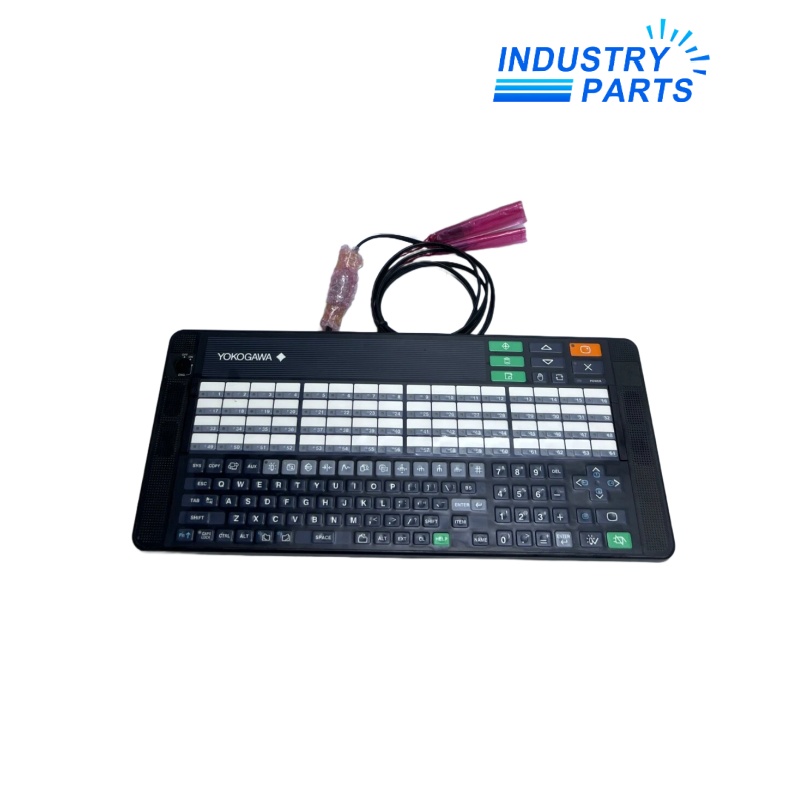

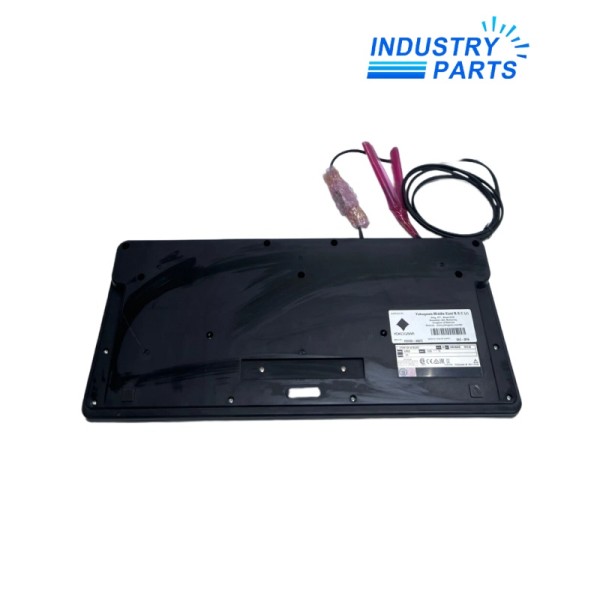

Yokogawa AIP830-101 Operation Keyboard
The existing product title is preserved for this AIP830 desktop HIS operation keyboard.
Product Profile
AIP830-101 is an ordering execution of the Yokogawa AIP830 Operation Keyboard for Single-loop Operation for a Desktop Type HIS. The flat keyboard provides the dedicated operator interface and an independent USB speaker function in addition to buzzer alarms.
One AIP830 keyboard is used per Desktop Type HIS. The AIP830-101 suffix must remain in the procurement record while the workstation release, USB connections, mounting arrangement and operator-function assignment are verified.
Technical Data
| Manufacturer | Yokogawa |
|---|---|
| Exact Model | AIP830-101 |
| Product Name | Operation Keyboard for Single-loop Operation |
| Host System | Desktop Type HIS |
| Keyboard Type | Flat keyboard |
| Sound Function | Independent USB speaker |
| PC Interface | Two USB Type-A connections; both connect directly to the PC |
| Keyboard USB | USB 2.0 full-speed, bus-powered |
| Sound USB | USB 1.1 full-speed, bus-powered |
| Input Voltage | 5 V ±5%, supplied from the PC USB ports |
| Maximum Current | 1 A |
| Color | Black, equivalent to Munsell N1.5 |
| Installation Category | IEC 61010-1 Class I |
| Operating Temperature | 5 to 40 °C |
| Storage / Transport Temperature | -20 to 60 °C |
| Humidity | 20 to 80% RH, non-condensing |
| System Quantity | One AIP830 per Desktop Type HIS |
System Role
Dedicated single-loop operation interface for a Desktop Type HIS.
Separate USB paths for keyboard operation and the independent speaker function.
Bus-powered operation from the two required direct PC connections.
Exact -101 code and existing IndustryParts title retained.
Compatibility
- Record the AIP830-101 label, HIS workstation, software release, USB port assignments and VESA bracket use.
- Connect both USB cables directly to the PC as specified; do not validate only the keyboard path.
- If a bracket is used, confirm the mounting location can support at least 10 kg.
- After replacement, test key functions, loop selection, buzzer, USB speaker, display interaction and operator access under the site procedure.
Applications
- CENTUM VP Desktop HIS stations requiring single-loop operation keys.
- Control-room workstation replacement where the installed AIP830 layout is retained.
- Operator-station maintenance requiring both keyboard and USB audio functions.
FAQ
Why does AIP830-101 require two direct USB connections?
Keyboard operation and the independent speaker use separate USB interfaces, and Yokogawa specifies that both connectors connect directly to the computer.
What should be checked when AIP830-101 keys work but sound does not?
Verify the second USB connection, Windows/HIS audio device assignment, speaker level and workstation policy before replacing the keyboard.
Can one AIP830-101 serve multiple Desktop HIS stations?
The manufacturer specification assigns one AIP830 to one Desktop Type HIS; sharing it is outside that arrangement.
What evidence is needed to preserve the installed AIP830-101 setup?
Record the -101 label, HIS name and release, both USB port locations, VESA bracket, operator mapping and the current audio device configuration.
How should AIP830-101 be accepted after replacement?
Test all required operation keys, loop calls, alarm acknowledgement, buzzer and USB speaker, then record the workstation and operator-test result.
Recommended Models
| 1LA7113-6AA11 | TSXRKY8EX | X67DM9321.L12 |
| ABB ALCL-14-5 | VFS15-4075PL-W1 | RD52.1-7N-090-L-V1-FW |
| BWU2192 | DV5-2-4-DB0 | 140-CPS-224-00 |
| QC12B | INNIS01 | SXWSCDXSELXW |
| LM631 | Brevini SH11C M 108 SA0 LM2 RV | GWB 80 307139 |
| LR9F5369 LA9F103 | EL6201 | JL325A |
| AEG L-UGE11 32.1100.193-00 | ZDU 2.5-2/3AN 1706010000 | Gelbau 252.06Z 3002.5206Z |
| 7A0352.70 | AI 9310001115 | PEC1.1UFPT |
| TA5142-RS485W 1SAP187300B0203 | SWINGE60ZEX.CM | 3VL9400-4ED40 |
| SH11CR M 075 GE SA M VM2 RV | BZMD1-A63 | TXB1.PBUS |